RSS readers are an efficient way to follow many websites in one place, without relying on social media algorithms or email newsletters. But an increasing number of sites do not publish an RSS feed.
Craft Feed solves that gap by reading a public web page, extracting repeating article information, and publishing it as a standard RSS feed. You stay in control of the sources you follow.
What does it mean when a site has no RSS feed?
A website may publish new pages regularly while offering no machine-readable RSS or Atom URL. An RSS generator creates that missing layer from the page's visible article list. It does not change the original site; it converts public updates into a format your reader understands.
Before you start
Create a free Craft Feed account, open the target website in another tab, and choose a listing page where new entries appear in a consistent layout. Make sure you are permitted to access and use the site's content.
Open the RSS Generator and enter the source URL
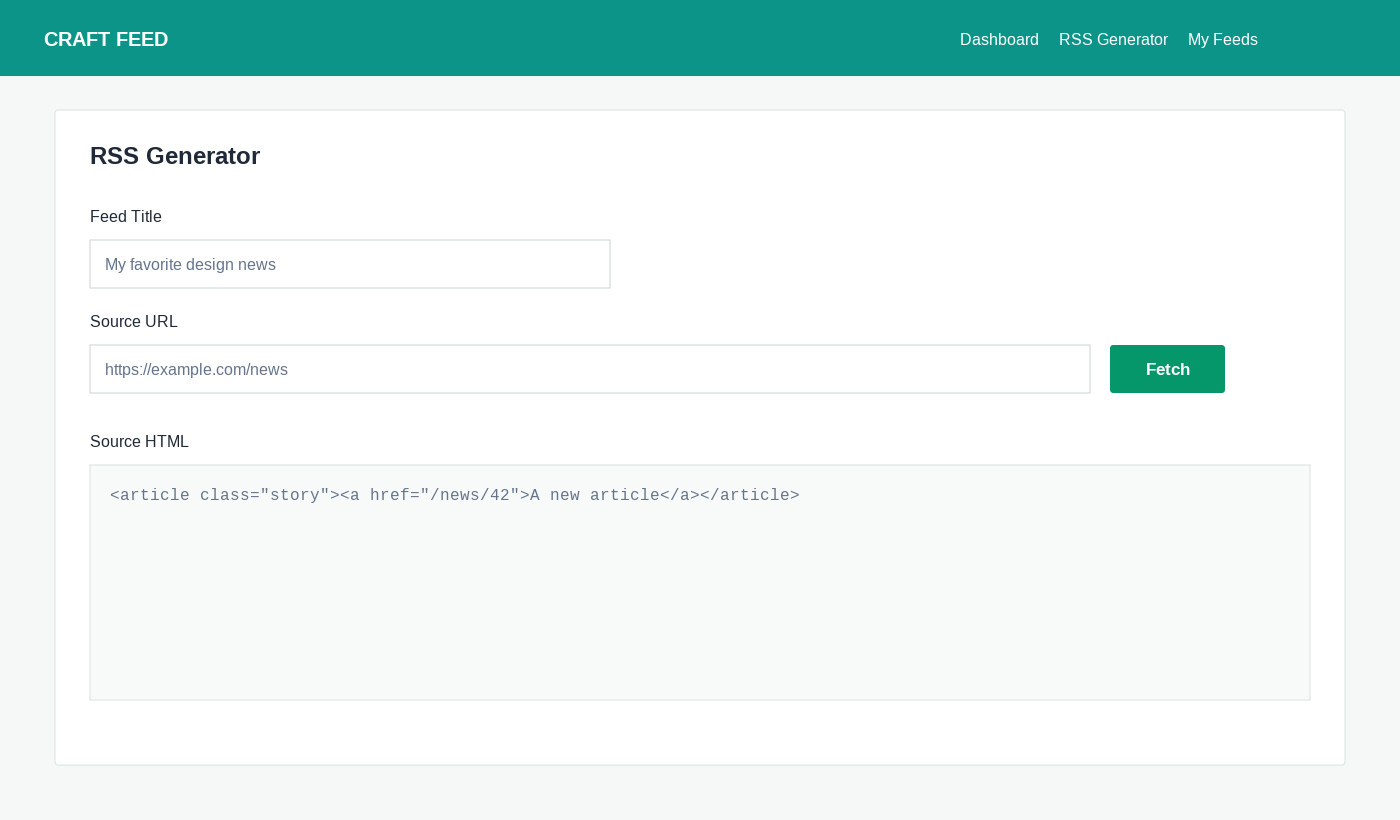
Sign in, select RSS Generator from the header, give the feed a recognizable title, and paste the URL of the page you want to follow into Source URL. Select Fetch to load the page source.
Define the repeating article pattern
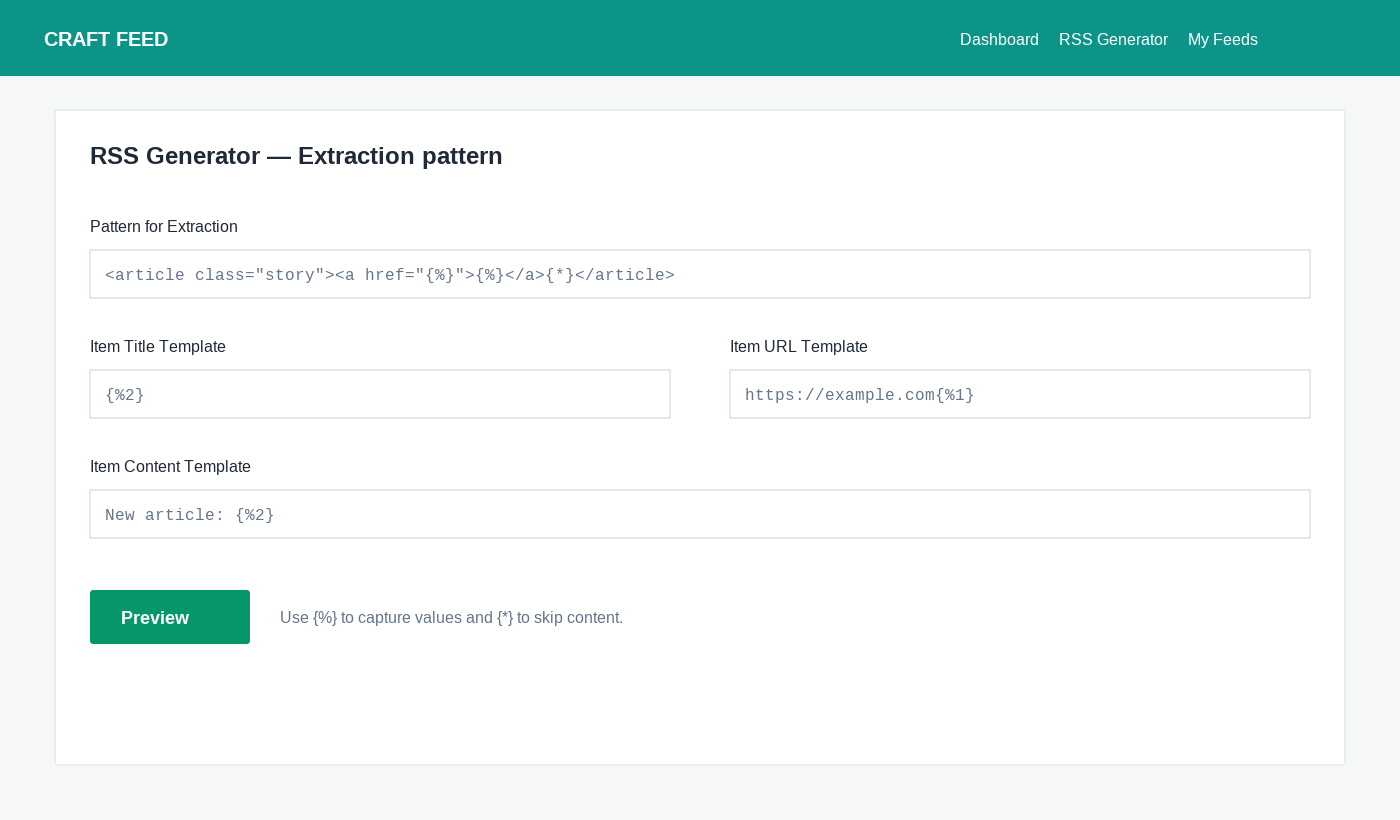
In the fetched HTML, find a block that repeats for every article. Build an extraction pattern and use {%} for values you want to capture, such as the headline and link. Map the captured values to the item title, URL, and content templates.
Preview and register the feed
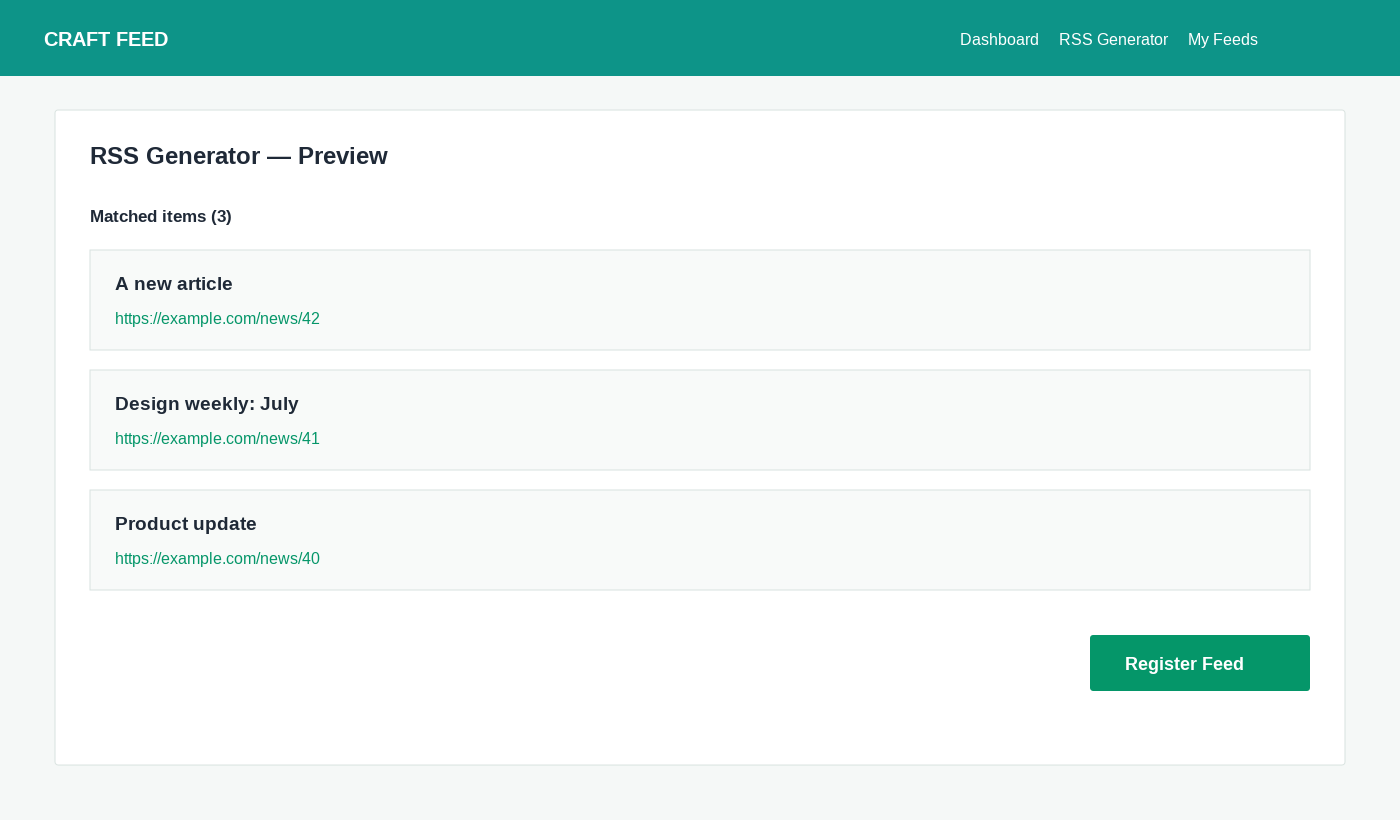
Run the preview and confirm that several recent items have the correct titles and links. Refine the pattern if unrelated content appears. When the result looks right, register the feed and copy its generated RSS URL.
Subscribe in your RSS reader
In Feedly, Inoreader, NetNewsWire, FreshRSS, or another reader, choose Add Feed or Follow Source and paste the generated Craft Feed URL. New items will now appear alongside your other subscriptions.
How updates reach your RSS reader
Craft Feed checks the source and refreshes the generated feed. Your reader then polls that RSS URL on its own schedule. Update timing can therefore vary by source, Craft Feed refresh, and reader settings.
Tips for a reliable feed
- Use a category or news index page rather than a single article.
- Capture stable HTML around each item and avoid decorative elements that change often.
- Use absolute URLs where possible and verify every preview link.
- Respect the source site's terms, copyright, robots guidance, and access limits.
Follow the sites that matter to you
Create your first custom RSS feed with Craft Feed. The free plan includes up to 100 feeds.
Create Free Account